 IT PAYS TO PAY
WITH ONESTPAY
IT PAYS TO PAY
WITH ONESTPAYHow to Buy Multiple Deals in One Go on OnestPay™?
A step-by-step guide to adding and managing multiple merchant deals from the Buy page.

If you’ve ever shopped online and wished you could bundle up multiple offers into a single, smooth checkout — OnestPay™ makes it possible.
Whether you’re planning for everyday essentials, and gifts, or stocking up during seasonal sales, being able to buy multiple deals in one go saves you time.
In this guide, we’ll walk you through how to easily add multiple deals right from your OnestPay™ dashboard. No jumping through hoops. No cluttered steps. Just a fast, efficient way to secure more value in less time.
Let’s dive in and show you how it’s done.
Why This Matters?
Unlike most apps or digital wallets, OnestPay™ is engineered for real flexibility. You’re not locked into one deal at a time. You can build your basket, just like online shopping — except here, you’re grabbing discounted store credits that never expire. It can be gifted or traded, and stretch your money further.
Ready to power up your purchases? Have a look below!
How to Buy Multiple Deals in One Go?
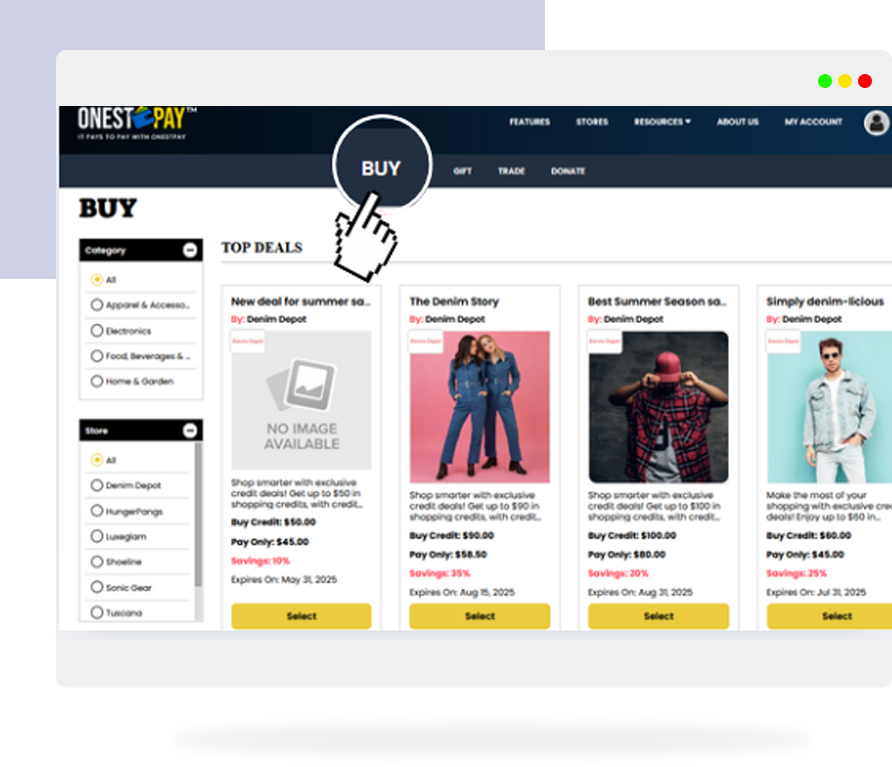
01 Step 1: Head to the Buy Page
Start by logging into your OnestPay™ account and visit the Buy page. This is where all current merchant offers are listed.
Take your time — browse, compare discounts, read merchant ratings, and choose the offers that catch your eye.
02 Step 2: Select Your First Deal
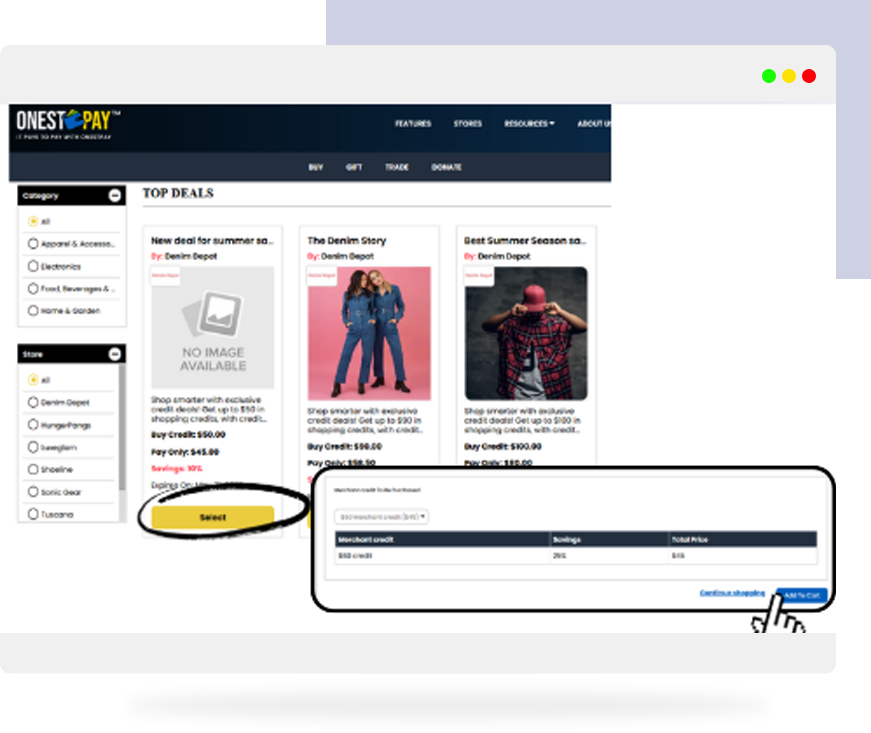
Click ‘Select’ on a deal to view its details — merchant name, discount rate, and purchase limits.
Once you’re happy, hit ‘Add to Cart’. You’ll see a quick addition on the cart icon in the top right corner.
03 Step 3: Tap ‘Continue Shopping’
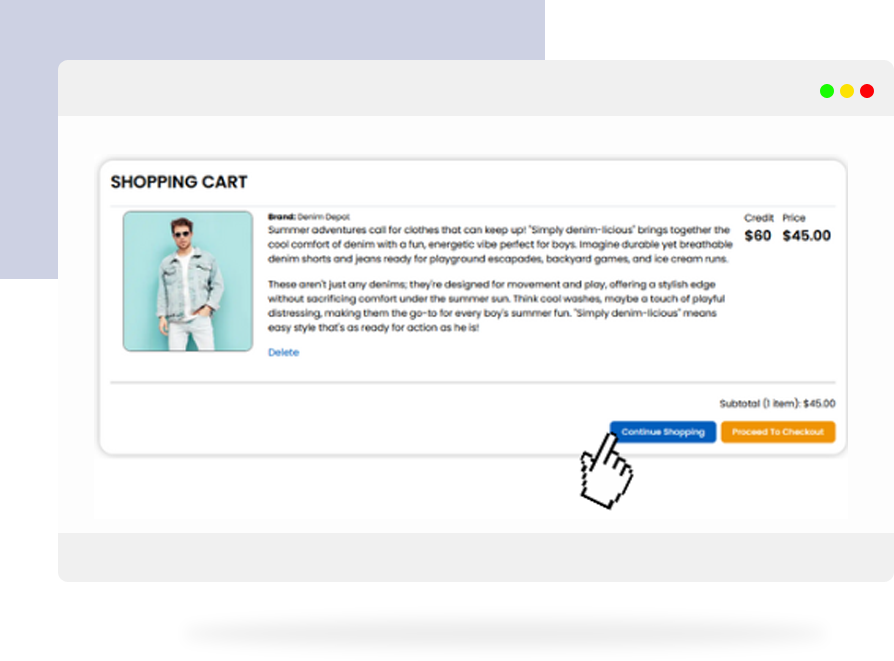
Here’s the key move: instead of checking out right away, click ‘Continue Shopping’.
This takes you back to the Buy page so you can select another offer.
Select your next deal then Add to Cart and repeat.
You can repeat this as many times as you like — as long as you stay within any per-merchant limits, you can build a basket of deals to suit your needs.
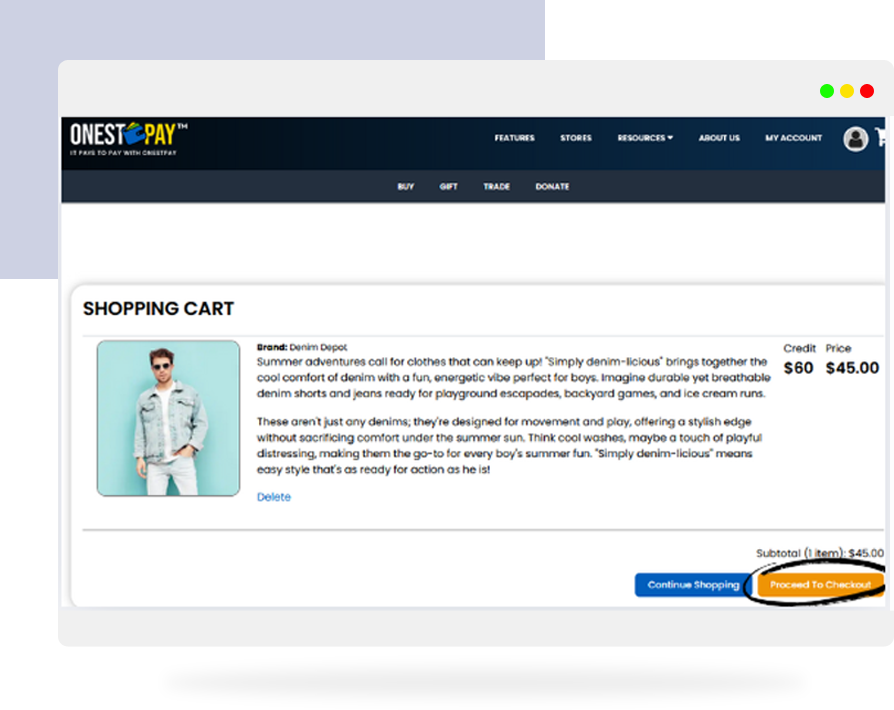
04 Step 4: Review Your Cart
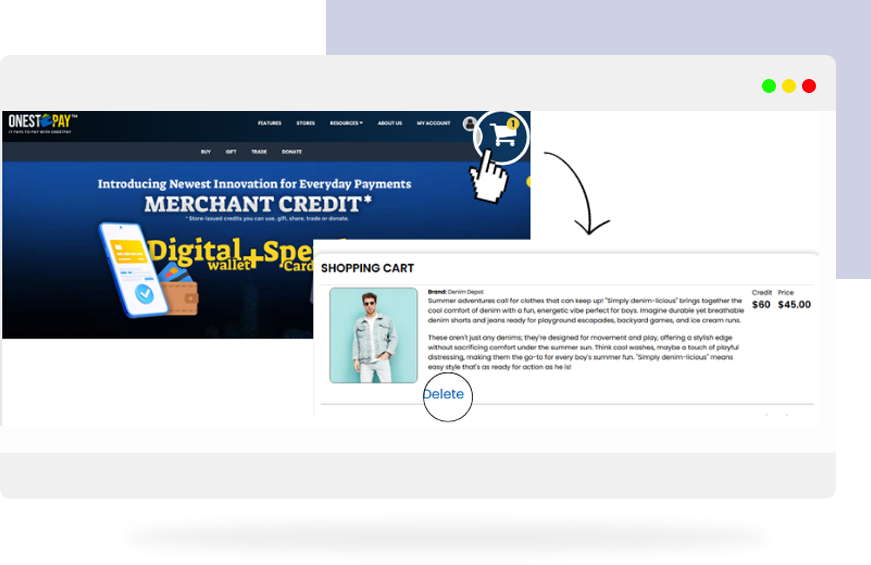
Once you’ve added all your deals, click the Cart icon or go directly to the Cart page.
Here, you can:
- See all selected deals
- Review the total cost
- Adjust quantities if needed
- Delete any deal you changed your mind about.
05 Step 5: Proceed to Checkout
Happy with your selections? Click Proceed to Checkout.
OnestPay™ processes all your deals in one seamless transaction and instantly adds the purchased merchant credits to your Wallet.
Need Help While Shopping?
If you ever feel stuck, just go to the Contact Us page. OnestPay™’s support is always around to guide you, whether it’s help navigating deals or resolving an issue with your wallet.
Need more help with merchant credits?
Check out our guide: What Are Merchant Credits & How to Buy Them on OnestPay™ for a step-by-step walkthrough.
It Pays to Pay with OnestPay™
At OnestPay™, we believe that smart spending is social, flexible, and rewarding. Being able to buy multiple deals in one go is just one of the many ways we’re redefining how you interact with value.
Whether you’re stacking offers, sharing them with loved ones, or saving up for something big, you’re always in control.
Try it now — your smarter shopping experience starts here.
Visit onestpay.com.