 IT PAYS TO PAY
WITH ONESTPAY
IT PAYS TO PAY
WITH ONESTPAYFacing Payment Errors While Buying Credits?
Here’s How to Troubleshoot & Resolve: A Simple Step-by-Step Guide

If you’ve ever faced a hiccup while buying credits on OnestPay™, don’t worry — you’re not alone. Good news? We’ve made it super simple to troubleshoot and get back on track fast.
Whether it’s a card issue, a bank linking snag, or just a session timeout — we’ve got your back.
Let’s walk you through it, step by step.
Why You Might Face Payment Errors?
Before we dive into the solutions, here’s why payment errors might occur:
- Card Issues: Expired, declined, or blocked cards.
- Bank Linking Problems: Authentication errors or wrong details.
- Session Timeouts: Network issues or inactivity while buying credits.
- Retry Mechanisms: When a payment fails and needs a secure retry.
Knowing the cause makes fixing it even easier!
Let’s Fix It | Step-by-Step Troubleshooting Guide
01 Having Card Issues?
No sweat. Here’s what you can do:
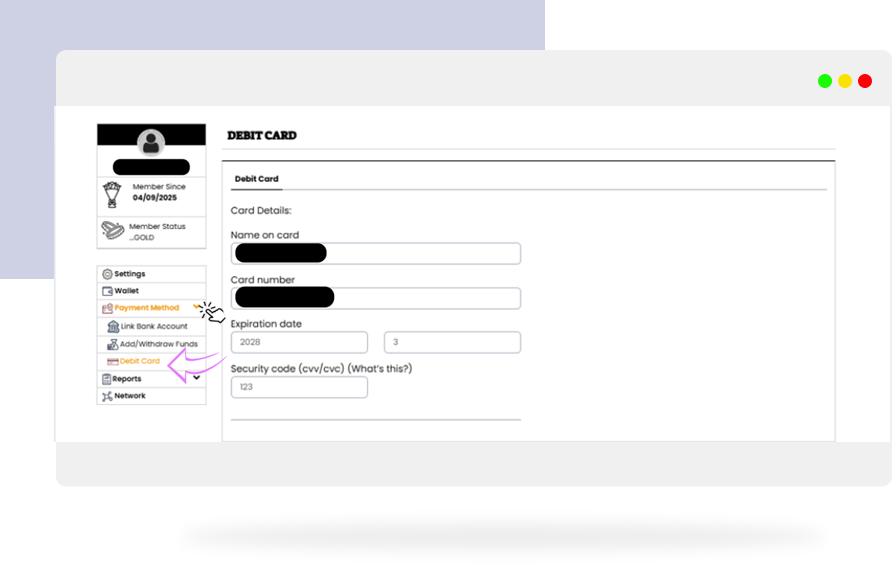
- Head to your OnestPay Debit Card Page.
- Check if your card details are updated (expiry date, CVV, etc.).
- Ensure your card is active and has sufficient balance.
If your card has expired or was declined, just update it with a new one in your Account Settings.
- Once updated, retry your purchase!
02 Trouble Linking Your Bank Account?
If you’re facing issues while connecting your bank account:
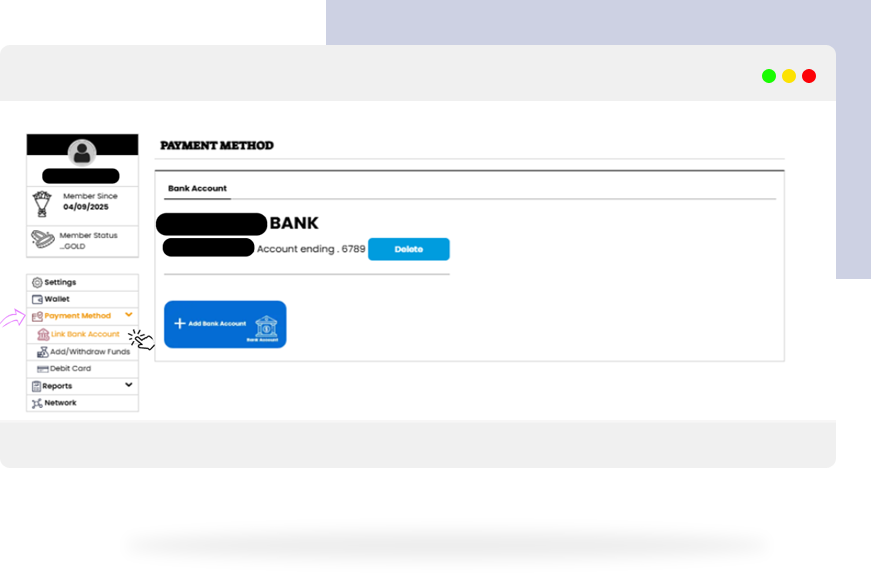
- Go to your Payment Methods Page.
- Select “Add Bank Account” again.
- Carefully follow the authentication prompts.
Common Issues:
- Incorrect account details.
- Bank’s two-factor authentication timeout.
- Bank maintenance periods.
If linking fails, refresh the page and try again after a few minutes or connect a different bank account temporarily.
- Successful linking? Great — now you’re ready to deposit and buy credits seamlessly!
03 Facing a Session Timeout?
(You’re clicking “buy credit” but it keeps refreshing or kicking you out.)
Here’s why:
For your security, OnestPay™ sessions automatically expire after a set time of inactivity.
- Simply log back in to OnestPay™
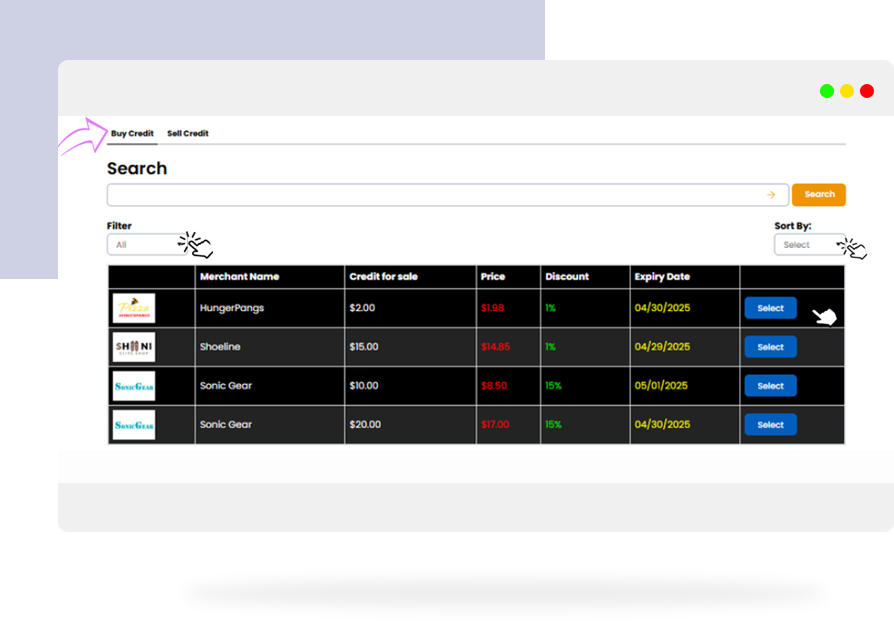
- Reinitiate your purchase process.
Complete your purchase without long breaks during checkout to avoid session expiry.
- Active session = smooth transaction!
Retry Mechanism — How It Works
Sometimes payments get stuck due to temporary issues (network problems, bank server delays, etc.).
Here’s how OnestPay™ handles it smartly:
- If your payment fails, you can Retry Payment.
- Click on it to reattempt securely without losing your previous transaction details.
You won’t be charged twice! Our smart system detects duplicate attempts and processes only one transaction.
- One click — and you’re back to buying credits effortlessly!
Managing Your Wallet & Merchant Credits — Made Easy
While you’re troubleshooting, it’s helpful to understand how your wallet and credits work.
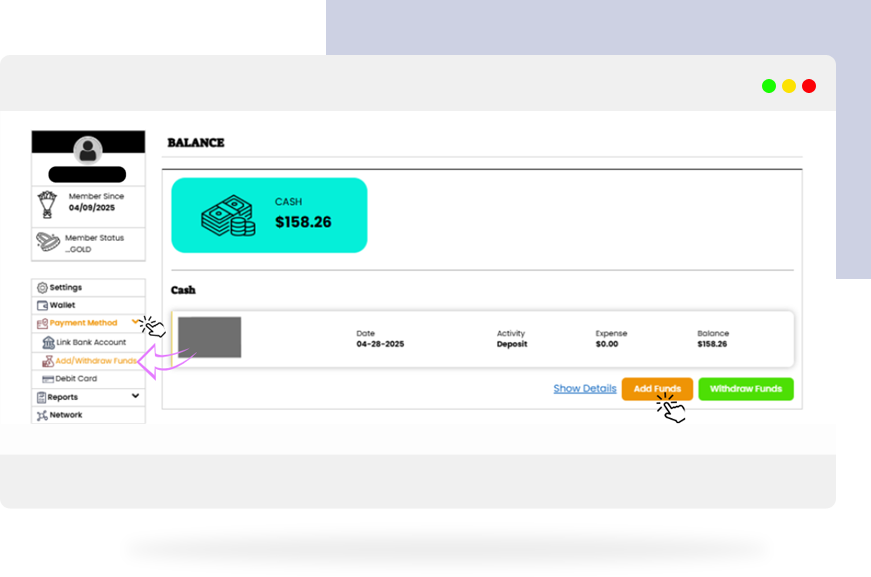
- View Wallet Balance & Credits:
Easily track your Merchant Credits and Bonus Credits on your Account Dashboard.
- Use Merchant Credits for Purchases:
For online purchases: Use your OnestPay™ debit card at checkout.
- Insufficient Balance?
No worries! If your Merchant Credits aren’t enough, your linked bank account will auto-cover the remaining amount.
Facing Persistent Issues? Contact Support.
If something still feels off:
→ Tap the Support option inside your OnestPay™ dashboard.
→ Raise a ticket or send a direct message.
Our friendly support team is always ready to help you!
- Fast replies. Real solutions.
Quick FAQs
Q. How do I know if my deposit or purchase is successful?
A: You’ll get an instant notification, and you can always double-check in your Transaction History.
Q. Can I link multiple bank accounts?
A: Absolutely! Flexibility at its best.
Q. Are deposits and withdrawals free?
A: Deposits are free. Instant withdrawals may have a small fee; delayed withdrawals are often free.
It Pays to Pay with OnestPay™
With OnestPay™, you’re in control — even if a payment error pops up, resolving it is straightforward, quick, and stress-free.
So next time you face a glitch, don’t panic — just follow this guide and keep trading, gifting, and saving smarter with OnestPay™.
Ready to get back on track? Log in here and keep those credits flowing!
OnestPay™ | Smart Spending. Social Saving.